| Property |
Description & Default
value |
| ActivateSharedDataHandle |
Deprecated property affecting the behavior of
JServer false |
| ApplicationName |
The name of the application. |
| ApplicationPath |
For EJB deployment, the JNDI path to the
business components. |
| AppModuleJndiName |
For EJB deployment, the JNDI name used to look
up the application module factory. |
| ConnectionMode |
Deprecated property, formerly used for
deployment to VisiBroker. VisiBroker deployment is no longer supported. |
| ConnectionPort |
For all deployment platforms EJB deployment,
the port of the application server hosting the business components. |
| DeployPlatform |
The deployment platform: LOCAL, EjbWls (for an
EJB deployed to Oracle WebLogic Server), or SI for an ADF web service deployed
as a service interface. LOCAL |
| Factory-Substitution-List |
The list of business components that you have
extended that you want to substitute out |
| HandleName |
Deprecated property affecting the behavior of
JServer |
| HostName |
For EJB deployment, the name of the
application server hosting the business components. |
| IsLazyLoadingTrue |
For EJB deployment, setting this property to
true will cause business components metadata to be loaded into memory only as
needed, whereas setting it to false will cause all metadata to be loaded into
memory immediately. Lazy loading is mandatory in LOCAL mode. true |
| java.naming.factory.initial |
For EJB deployment, advanced property that
allows you to implement a custom class to create the initial context for the
application module factory. oracle.jbo.common.JboInitialContextFactory |
| java.naming.security.credentials |
For EJB deployment, the password for the
application server connection. |
| java.naming.security.principal |
For EJB deployment, the username for the
application server connection. |
| jbo.323.compatible |
Reintroduces certain bugs fixed since release
3.2.3, for applications designed around them false |
| jbo.903.compatible |
Reintroduces certain bugs fixed since release
9.0.3, for applications designed around them false |
| jbo.abstract.base.check |
Check for the wrong use of abstract base row
definition. true |
| jbo.ampool.connectionstrategyclass |
Advanced property that determines the class
that implements the connection strategy
oracle.jbo.common.ampool.DefaultConnectionStrategy |
| jbo.ampool.doampooling |
Enable application module pooling. true |
| jbo.ampool.dynamicjdbccredentials |
Declares that the application module can
support multiple JDBC users. true |
| jbo.ampool.initpoolsize |
The number of application modules that are
automatically created in the application pool, before any requests. 0 |
| jbo.ampool.issupportspassivation |
Internal use only. true |
| jbo.ampool.isuseexclusive |
Declares that application module use is
exclusive. Set to false for a "shared" application module configuration to
specify that requests from multiple sessions can share a single instance of the
application module, which is managed by the application pool for the lifetime of
the web server virtual machine. When you do not enable application module
sharing, JDeveloper sets the value true to repopulate the data caches from the
database for each application session on every request. true |
| jbo.ampool.maxavailablesize |
After this limit is exceeded, the application
pool will time out application modules inactive for the longest time, even if
that is less time than the jbo.ampool.maxinactiveage. 25 |
| jbo.ampool.maxinactiveage |
The amount of time, in milliseconds, that an
application module must be inactive before being timed out, if the
jbo.ampool.minavailablesize has been exceeded. 600000 |
| jbo.ampool.maxpoolsize |
The maximum number of application modules
allowed in the application pool. If this level is reached, clients must wait for
the next available application module. 2147483647 |
| jbo.ampool.minavailablesize |
After this limit is exceeded, the application
pool will time out application modules inactive longer than
jbo.ampool.maxinactiveage. 5 |
| jbo.ampool.monitorsleepinterval |
The time, in milliseconds, between checks for
application modules to be timed out. 600000 |
| jbo.ampool.resetnontransactionalstate |
If this property is false, application modules
and their related JDBC prepared statement objects will preserve their
non-transactional state (properties and dynamically added view object, view
link, and nested application module members) even when they are checked in in
stateless mode. If the property is true, non-transactional state will be reset.
true |
| jbo.ampool.sessioncookiefactoryclass |
Advanced property that determines the class
that creates the session cookies that allow clients to retrieve application
modules in stateful mode.
oracle.jbo.common.ampool.DefaultSessionCookieFactory |
| jbo.ampool.timetolive |
Specifies the application module pool time to
live for applilcation module instances.
3600000 |
| jbo.ampool.writecookietoclient |
Write the SessionCookie value to the client
browser. false |
| jbo.assoc.consistent |
If this property is true, the entity rowsets
retrieved through association accessors will include rows that have been added,
even if these changes have not been posted to the database. true |
| jbo.assoc.where.early.set |
Controls whether the view object of an
association or view link is set early.
false |
| jbo.connectfailover |
Controls connection failover. true |
| jbo.ConnectionPoolManager |
Advanced property that allows you to
implement a custom connection pool manager
oracle.jbo.server.ConnectionPoolManagerImpl |
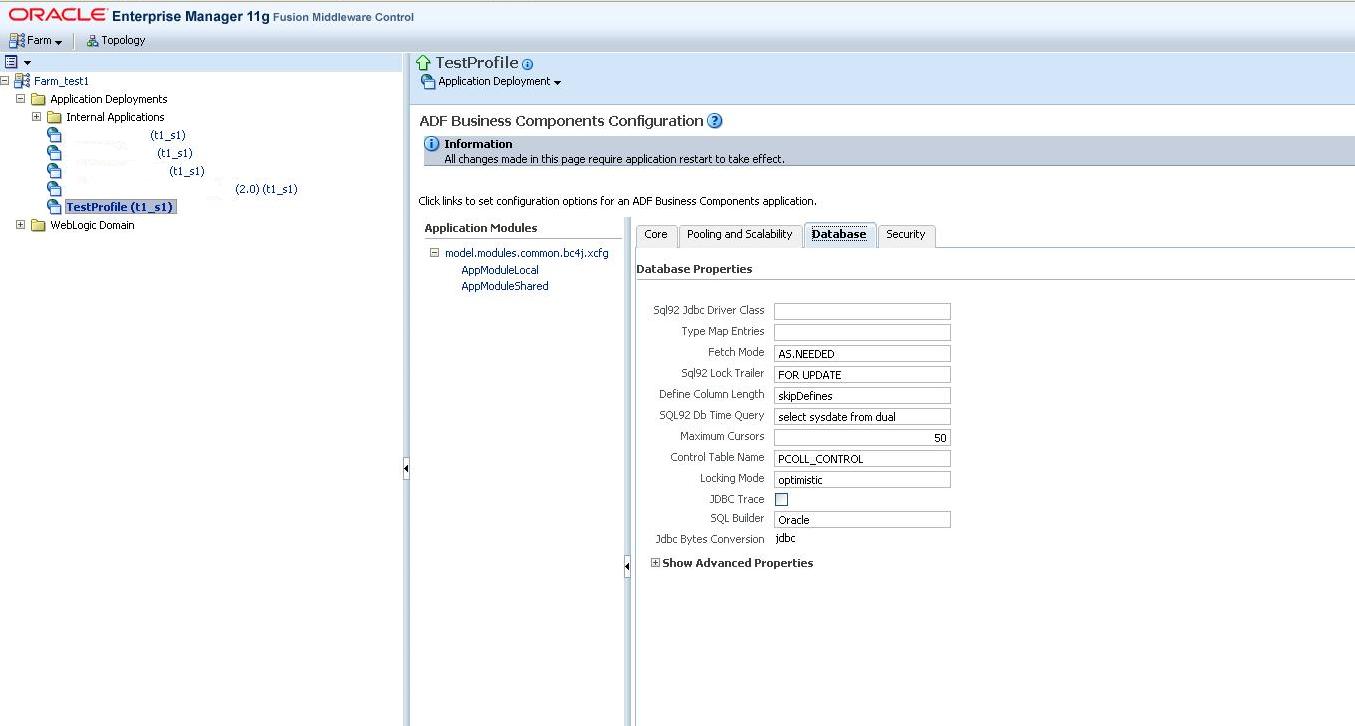
| jbo.control_table_name |
Specifies the persistent collection control
table name. PCOLL_CONTROL |
| jbo.debug.prefix |
Prefix prepended to ADF Business Components
debugger lines * |
| jbo.debugoutput |
If this property is set to console, debug
information is displayed on the console. If the property is set to silent, debug
information is not displayed. If this property is set to file, debug information
is logged in a text file. console |
| jbo.def.mgr.listener |
The name of the definition object manager
listener. |
| jbo.default.country |
The default ADF Business Components session
country, used in localization US |
| jbo.default.language |
The default ADF Business Components session
language, used in localization en |
| jbo.default.locale.variant |
The default session locale variant - a part
of the Locale. |
| jbo.doconnectionpooling |
This property is true if application modules
are allowed to share connections. false |
| jbo.dofailover |
This property is true if application module
failover is enabled. Setting this property to false provides better performance
at the expense of reliability. true |
| jbo.domain.bind_sql_date |
When binding oracle.jbo.domain.Date, use
oracle.sql.DATE. true |
| jbo.domain.date.suppress_zero_time |
Suppress time bits when rendering Date as
String when time bits are zero for a date value. true |
| jbo.domain.reopenblobstream |
Reopen the blob stream upon getInputStream()
if the end of stream is reached.
false |
| jbo.domain.string.as.bytes.for.raw |
When constructing a Raw from String, use
String's byte array instead of using it as a hex dump. true |
| jbo.ejb.txn.disconnect_on_completion |
Release and reacquire JDBC connection upon
completion of application module session bean.
true |
| jbo.ejb.txntimeout |
For EJB deployment, the number of seconds
after the last database access before the EJB transaction expires. 1830 |
| jbo.ejb.txntype |
For EJB deployment, the transaction type:
global to use the JTA UserTransaction interface, local to use straight JDBC
global |
| jbo.ejb.useampool |
Use the application module pool on the
server. |
| jbo.envinfoprovider |
Declares an EnvInfoProvider for use with the
configuration and pooling frameworks. true |
| jbo.fetch.mode |
AS.NEEDED causes view objects to only fetch
rows when they are requested. ALL causes them to fetch the entire results of
their queries. AS.NEEDED |
| jbo.finder.range.size |
Range size for the finder row sets. Applies
only to the incremental row retrieval scenario. DEFAULT |
| jbo.groovy.debug |
Determines whether to enable debugging for
Groovy expression evaluation in the ADF Model project components. false |
| jbo.initpoolsize |
The number of JDBC connections automatically
created in the connection pool, before any requests 0 |
| jbo.jdbc.driver.verbose |
If this property is true, the JDBC driver
will run in verbose mode. For more information, see the JDBC documentation.
false |
| jbo.jdbc.trace |
Trace all JDBC activity with lines flagged by
// JBO-JDBC-INTERACT false |
| jbo.jdbc_bytes_conversion |
Indicates whether to use JDBC bytes conversion
or perform the conversion in the framework.
jdbc |
| jbo.load.components.lazily |
Determines whether to load components
lazily. false |
| jbo.locking.mode |
The default locking mode used by application
modules (pessimistic or optimistic).
Note: In the case of session-oriented programs, such as web applications,
the default value optimistic for jbo.locking.mode should be used unless you
choose to set the RELEASE_MODE property to Reserved. The value pessimistic is
not compatible with Stateful or Stateless modes because the database transaction
is always rolled back to allow the connection to be reused by another user. This
results in the lock being released and makes pessimistic locking unusable. If
you want to use pessimistic locking, you must set RELEASE_MODE to Reserved.
optimistic |
| jbo.logging.show.function |
Whether to show the name of the method that
triggered a debugger call. Setting this property to true will degrade
performance. false |
| jbo.logging.show.level |
Show the trace level of debugger messages. The
lower the trace level, the more important the message. false |
| jbo.logging.show.linecount |
Number the lines of debugger output. true |
| jbo.logging.show.timing |
Whether to show the time elapsed between debug
calls false |
| jbo.logging.trace.threshold |
Lower this number to display only the most
important debugger messages display a larger portion of debugger messages, raise it to
display a larger portion of debugger messages.
3 |
| jbo.max.cursors |
The maximum number of cursors the business
components may have open. The framework will clean up free JDBC statements as
the number of cursors approaches this number. 50 |
| jbo.maxpassivationstacksize |
The maximum size of the passivation
stack. 10 |
| jbo.maxpoolcookieage |
The maximum age of the browser cookies used to
help clients retrieve stateful application modules. If these cookies do not time
out, the value is -1. It is recommend that the max cookie age is always set less
than or equal to the session cookie age. It is set that way by default (both are
-1). If you change the the max cookie age then you must also change the session
cookie age to the same value. -1 |
| jbo.maxpoolsize |
The maximum size of the JDBC connection pool.
If this number is exceeded, an application module will have to wait for a
connection if none is available. 2147483647 |
| jbo.object.marshaller |
The object marshaller class. |
| jbo.passivation.TrackInsert |
If this property is true, when an application
module is activated, it will be updated to include rows inserted into the
database while it was passive true |
| jbo.passivationstore |
When an application module is released in
stateful mode, its state is saved when the application module is recycled (or
immediately if failover is enabled). If this property is null or database, the
state is saved to the database. If the property is file, the state is saved to a
local file. null |
| jbo.pcoll.mgr |
Advanced property that names a custom
persistent collection manager, if one is being used |
| jbo.pers.max.active.nodes |
The maximum number of nodes that will be
cached in memory for view row spillover. 30 |
| jbo.pers.max.rows.per.node |
The maximum size of a node for view row
spillover. 70 |
| jbo.poolmaxavailablesize |
After this limit is exceeded, the application
pool will time out JDBC connections inactive for the longest time, even if that
is less time than the jbo.poolmaxinactiveage 25 |
| jbo.poolmaxinactiveage |
The amount of time, in milliseconds, that an
application module must be inactive before being timed out, if the
jbo.ampool.minavailablesize has been exceeded 600000 |
| jbo.poolminavailablesize |
After this limit is exceeded, the application
pool will time out JDBC connections inactive longer than jbo.poolmaxinactiveage
5 |
| jbo.poolmonitorsleepinterval |
The time, in milliseconds, between checks for
JDBC connections to be timed out 600000 |
| jbo.poolrequesttimeout |
The amount of time, in milliseconds, an
application module will wait for an available JDBC connection before failing
30000 |
| jbo.pooltimetolive |
Connection pool time to live for connection
instances. -1 |
| jbo.project |
The project containing extended business
components to be substituted for base ones, if Factory-Substitution-List is not
empty. |
| jbo.qcpool.maxinactiveage |
The amount of time, in milliseconds, that an
application module must be inactive before being timed out, if the
jbo.ampool.minavailablesize has been exceeded 900000 |
| jbo.qcpool.monitorsleepinterval |
The time, in milliseconds, between checks for
JDBC connections to be timed out 1800000 |
| jbo.recyclethreshold |
The recycle threshold, used in application
module pooling 10 |
| jbo.rowid_am_conn_name |
Declares the connection name that should be
used with the RowId application module.
|
| jbo.rowid_am_datasource_name |
Declares the data source name that should be
used with the RowId application module. |
| jbo.saveforlater |
Determines whether to save snapshots for the
lifetime of the transaction. false |
| jbo.security.config |
Specify the complete path and file name of
Oracle Platform Security for Java configuration, e.g.
k:\j2ee\home\config\jazn.xml. If this property value is null or length 0,
runtime will assume that jazn.xml is in the same path as jazn.jar and append
/config/jazn.xml before it accesses loginmodule or gets the security context for
getting permission manager, etc. |
| jbo.security.context |
Used to specify a particular JAAS
implementation. The default is JAZN.
oracle.jbo.server.security.jazn.JboJAZNContext |
| jbo.security.enforce |
Used to specify whether the user must be
logged in before the application module is created. Default setting (none)
assumes that authentication is enforced by the ADF Security property
authorizationEnforce (in the adf-config.xml file) Not required in applications
starting with JDeveloper 10.1.3.1. none |
| jbo.server.internal_connection |
The JDBC connect string to use for ADF
Business Components internal tables. If blank, ADF Business Components will use
the application module's connection. |
| jbo.server.retainAssocAccessor |
Determines whether the retain accessor flags
should be enabled by default. false |
| jbo.server.useNullDbTransaction |
Use 9.0.2 compatible
oracle.jbo.server.NullDbtransactionImpl when not connected to the database. false |
| jbo.shared.txn |
Use to define a named transaction for an
application module. If set to the same string on more than one root application
module, each application module will share the same database connection and
entity cache. If this property is not set, each root application module will
have its own database connection. This is particularly useful in shared
application modules which are read only and have longer life than transactional
application modules. This optimization reduces the database resources that the
application uses. |
| jbo.simulate.remote |
Simulate remote operation in collocated
mode. false |
| jbo.snapshotstore.undo |
Target for undo snapshots: either transient or
persistent. persistent |
| jbo.sparse.array.threshold |
Threshold at which sparse array becomes
compact. 20 |
| jbo.sql92.DbTimeQuery |
The database system time SQL query
string. select sysdate from dual |
| jbo.sql92.JdbcDriverClass |
The JDBC driver to use
sun.jdbc.odbc.JdbcOdbcDriver |
| jbo.sql92.LockTrailer |
The SQL statement trailer clause for locking.
FOR UPDATE |
| jbo.SQLBuilder |
The SQL flavor (Oracle, OLite, DB2, or SQL92
for other SQL92-compliant databases) Oracle |
| jbo.stringmanager.factory.class |
Advanced property that names a custom String
manager factory class, if one is being used use_default |
| jbo.tmpdir |
Directory for temporary ADF Business
Components files. |
| jbo.txn.disconnect_level |
Internal use only. 0 |
| jbo.txn.handleafterpostexc |
Setting this to true causes ADF Business
Components to take a transaction snapshot before beginning a commit operation.
If an exception is thrown after changes have been posted to the database, ADF
Business Components will use this snapshot to roll back the in-memory state of
your application module to the point
before commit operation began.
false |
| jbo.txn_seq_inc |
The persistent transaction sequence increment.
50 |
| jbo.txn_seq_name |
The persistent transaction sequence name.
PS_TXN_seq |
| jbo.txn_table_name |
The persistent transaction sequence table
name. PS_TXN |
| jbo.TypeMapEntries |
Use to specify a custom type map between Java
types and SQL types |
| jbo.use.findbykey.for.assoc |
Controls whether to use findByKey() for the 1
side of the association if the attributes match the primary key. true |
| jbo.use.global.sub.map |
Use global (using Context) substitutions map.
|
| jbo.use.pers.coll |
Setting this to true enables view row
spillover to help manage large rowsets. true |
| jbo.user.principal |
The name of the authenticated user
principal. |
| jbo.validation.threshold |
The validation threshold. 10 |
| jbo.ViewCriteriaAdapter A |
dvanced property that allows you to implement
a custom class that will be used by view objects to convert between view
criteria and view object SQL |
| jbo.viewlink.consistent |
If this property is true, the view object
rowsets retrieved through view link accessors will include rows that have been
added, even if these changes have not been posted to the database. false |
| jbo.xml.validation |
If true, the XML parser uses strict XML
validation false |
| JBODynamicObjectsPackage |
Name of package to be loaded dynamically, if
one is required. |
| JDBCName |
The JDBC name. |
| MetaObjectContext |
The XML initial context for
MetaObjectContext.
oracle.jbo.mom.xml.XMLContextImpl |
| MetaObjectContextFactory |
Advanced property that allows
you to implement a custom class to store business components metadata.
oracle.jbo.mom.xml.DefaultMomContextFactory
name The name of the configuration. |
| oc4j.name |
Internal use only. |
| oracle.adfm.DefaultEventPolicy |
Determines whether to use the default event
policy for native bindings (for testing only).
NONE |
| oracle.adfm.usemds |
Determines whether the MetaObjectManager
should use MDS to read and parse metaobject documents. true |
| oracle.adfm.useRootFrameOnly D |
etermines whether to use root data control
frame for the entire application (for testing only). false |
| oracle.home |
Internal use only. |
| oracle.jbo.defineColumnLength |
Use as_bytes to make column precision
specifications in bytes. Use as_chars to make column precision specifications in
characters. This is important for larger character sets, such as Unicode.
as_chars |
| oracle.jbo.schema |
Deprecated property affecting the behavior of
JServer |
| ord.jbo.usemds |
Determines whether the MetaObjectManager
should use MDS to read and parse metaobject documents. true |
| ord.HttpMaxMemory |
The maximum number of bytes of memory that can
be taken by interMedia domains |
| ord.HttpTempDir |
The directory used by interMedia to store
temporary files. |
| ord.qp.classid |
Specifies a custom Quicktime Player's CLASS
ID. FOr use with interMedia domains.
clsid:02BF25D5-8C17-4B23-BC80-D3488ABDDC6B |
| ord.qp.codebase |
Specifies a custom Quicktime Player's CODE
BASE. For use with interMedia domains.
http://www.apple.com/qtactivex/qtplugin.cab |
| ord.qt.plugins.page |
Specifies a custom Quicktime Player's plugins
download page. For use with interMedia domains.
http://www.apple.com/quicktime/download/ |
| ord.RetrievePath |
Specifies a custom retrieve path for the
interMedia media delivery component.
ordDeliverMedia |
| ord.rp.classid |
Specifies a custom RealMedia Player's CLASS
ID. FOr use with interMedia domains.
clsid:CFCDAA03-8BE4-11CF-B84B-0020AFBBCCFA |
| ord.rp.codebase |
Specifies a custom RealMedia Player's CODE
BASE. For use with interMedia domains. |
| ord.rp.plugins.page |
Specifies a custom RealMedia Player's plugins
download page. For use with interMedia domains. http://www.real.com/player |
| ord.wmp.classid |
Specifies a custom Windows Media Player's
CLASS ID. For use with interMedia domains.
clsid:22D6F312-B0F6-11D0-94AB-0080C74C7E95 |
| ord.wmp.codebase |
Specifies a custom Windows Media Player's CODE
BASE. For use with interMedia domains.
http://activex.microsoft.com/activex/controls/mplayer/en/nsmp2inf.cab#Version=[5,1,52,701] |
| ord.wmp.plugins.page |
Specifies a custom Windows Media Player's
plugins download page. For use with interMedia domains.
http://www.microsoft.com/isapi/redir.dll?prd=windows&sbp=mediaplayer&st=Media&sba=Plugin& |
| PoolClassName |
Advanced property that determines the class
that implements the application pool
oracle.jbo.common.ampool.ApplicationPoolImpl |
| RELEASE_MODE |
The release mode--Stateless, Stateful, or
Reserved--used by JSP pages. Other clients specify their own release mode. Note: This property interacts with the
jbo.locking.mode property as described above. Stateful |
| SessionClass |
Advanced property allowing you to implement a
custom class to load and store session context throughout a client's lifetime
|
| TransactionFactory |
Advanced property allowing you to implement a
custom class for creating ADF Business Components classes that represent
database transactions |